


Introduction
Here's something that surprises most first-time developers: a flawless, bug free website can still receive almost no visitors. Not because the code is broken but because search engines never understood what the website was about.
This is where SEO in web development becomes essential. Search Engine Optimization is not something you add after publishing your website. It is built into the development process from the very first line of HTML, influencing how search engines crawl, understand, and rank your pages.
Whether you're creating a personal portfolio, a business website, or a blog, understanding the basics of SEO helps improve visibility, attract organic traffic, and provide a better experience for users. Modern web development isn't only about writing clean code it's also about building websites that both people and search engines can understand.
In this beginner-friendly guide, you'll learn what SEO is, why it matters in web development, the different types of SEO, and the essential practices every developer should know before launching a website in 2026.
What Is SEO?
SEO (Search Engine Optimization) is the process of designing, structuring, and optimizing a website so that search engines like Google can discover, understand, and recommend it to users searching for relevant information.
Think of Google's crawler as someone reading the source code of your website rather than looking at its visual design. While visitors see colors, layouts, and animations, search engines primarily analyze your HTML structure, headings, metadata, links, and page content to determine what your website is about.
A beautifully designed website with poor HTML structure can struggle to rank in search results, while a well-structured website with semantic HTML and optimized content has a much better chance of appearing in front of the right audience.
Did You Know?Google primarily reads your HTML not your visual design. Clean semantic markup helps search engines understand your content far more effectively than complex layouts alone.
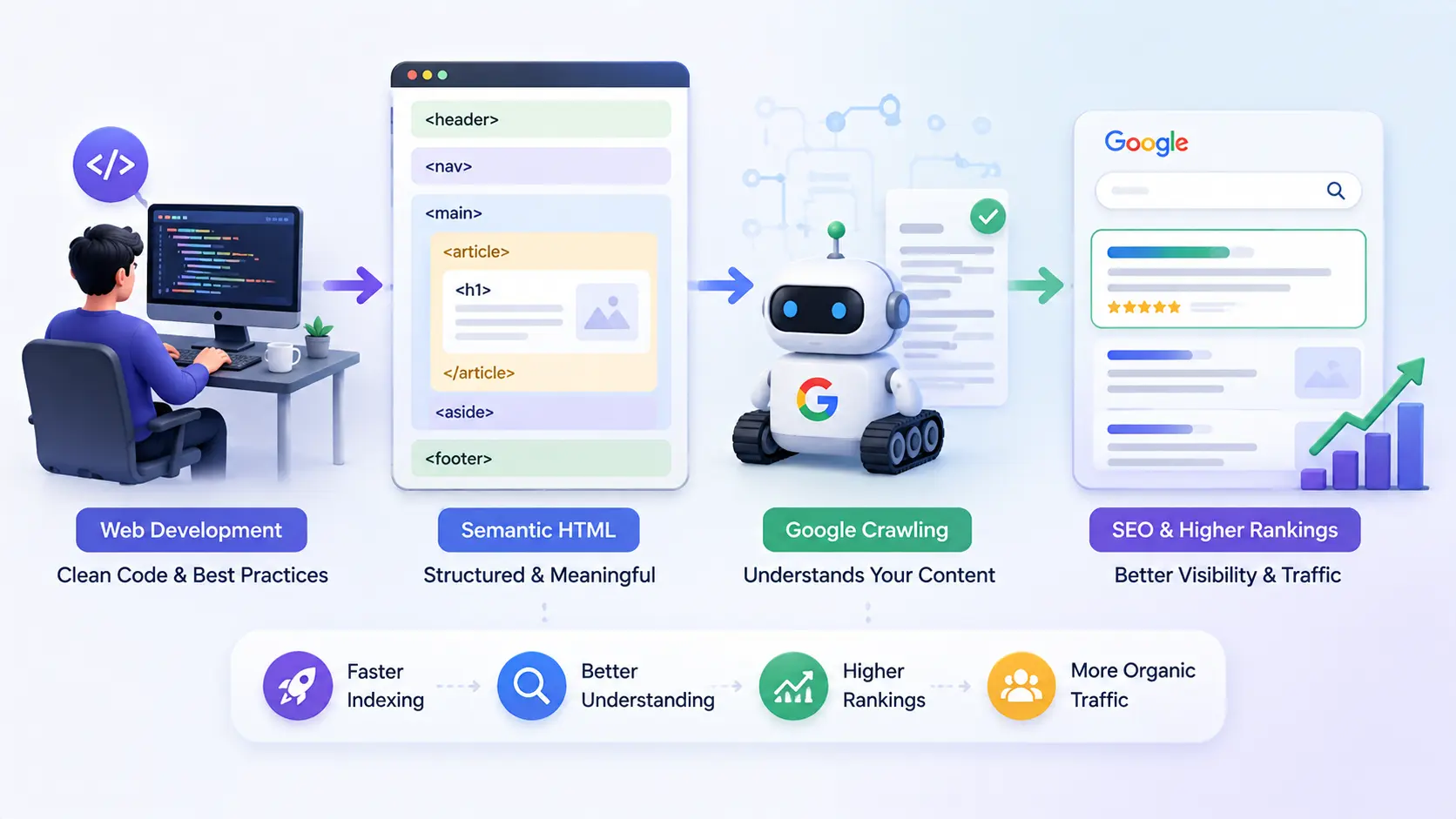
Why SEO Matters in Web Development
Every decision you make while developing a website can influence its visibility in search engines. From semantic HTML and page speed to mobile responsiveness and URL structure, developers play a major role in determining whether a website is easy for search engines to crawl and index.
Unlike paid advertising, SEO focuses on attracting visitors organically. When your pages are properly optimized, they can continue bringing traffic for months or even years without ongoing advertising costs.
Good SEO also improves user experience. Fast-loading pages, logical navigation, accessible content, and responsive layouts make websites easier to use while also sending positive quality signals to search engines.
Benefits of SEO for Developers
- Improved Visibility: Help search engines discover and understand your content.
- Higher Organic Traffic: Reach users without relying entirely on paid advertisements.
- Better User Experience: Fast, mobile-friendly websites improve engagement and reduce bounce rates.
- Long-Term Growth: Well-optimized pages continue generating traffic over time.
- Competitive Advantage: Developers with SEO knowledge build websites that perform better in search results.
For modern developers, SEO is no longer optional. It has become an essential part of building websites that are both technically strong and easily discoverable.
Types of SEO Every Developer Should Know
Search Engine Optimization consists of several areas, each focusing on a different aspect of website performance and visibility. Understanding these categories helps developers identify where they can make the biggest improvements.
1. On-Page SEO
On-page SEO focuses on optimizing the content and HTML elements of individual web pages. This includes headings, keyword placement, meta titles, meta descriptions, internal links, and image ALT text.
2. Technical SEO
Technical SEO ensures that search engines can efficiently crawl, index, and understand your website. Developers are primarily responsible for this area through clean HTML, XML sitemaps, robots.txt files, page speed optimization, structured data, HTTPS, and Core Web Vitals.
3. Off-Page SEO
Off-page SEO improves a website's authority through backlinks, brand mentions, and external signals from other trustworthy websites.
4. Local SEO
Local SEO helps businesses appear in location-based search results such as "restaurants near me" or "web developers in Delhi." It is especially important for businesses serving specific geographic regions.
Among these four categories, Technical SEO is where web developers contribute the most. Building a technically optimized website creates a strong foundation for every other SEO strategy.
Essential SEO Practices for Developers
Building an SEO-friendly website isn't about adding keywords everywhere. It's about creating a strong technical foundation that helps search engines crawl, understand, and index your pages efficiently while delivering an excellent user experience.
The following SEO practices should become part of every developer's workflow, regardless of whether you're building a personal portfolio, business website, or large web application.
1. Use Semantic HTML
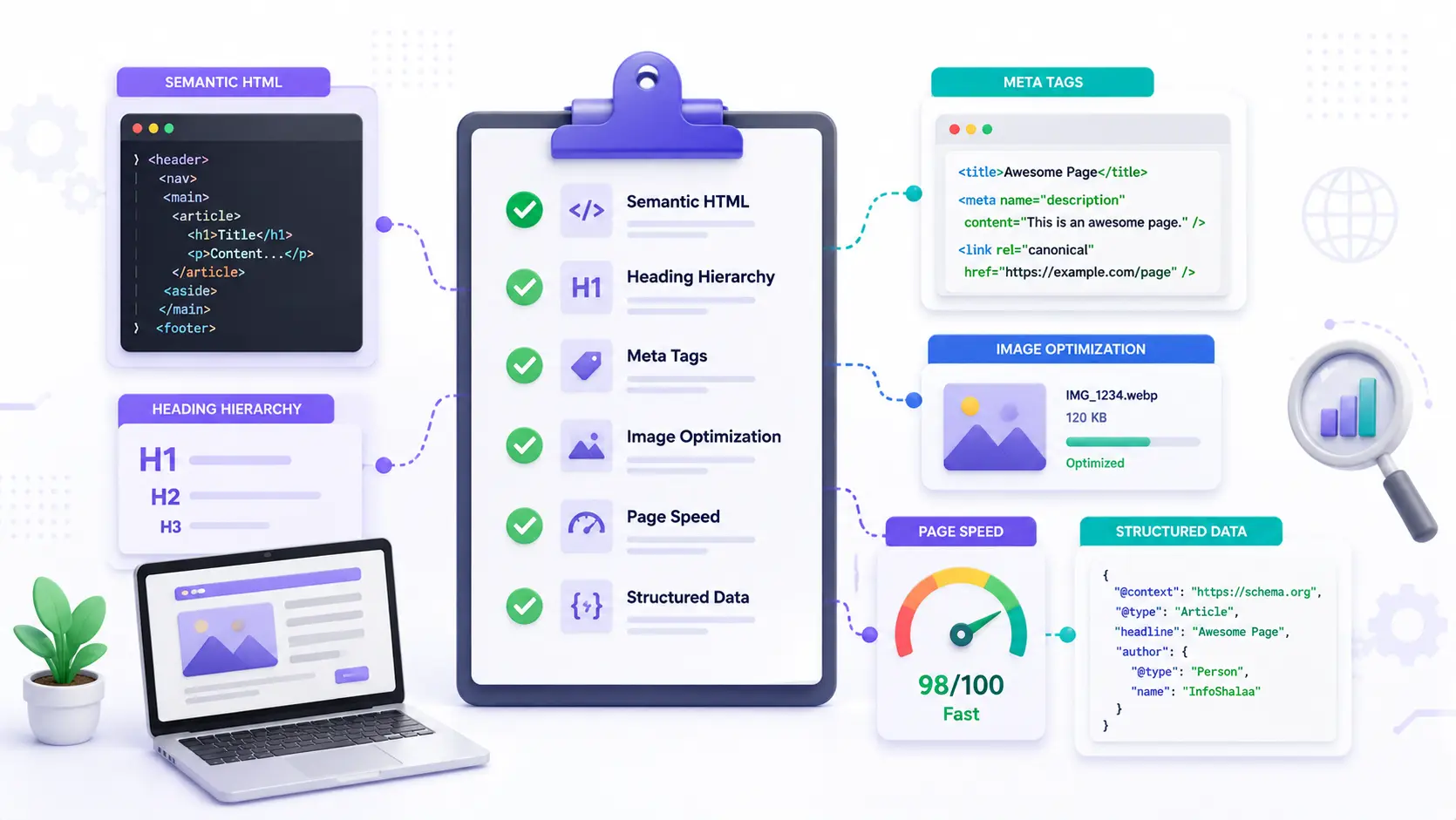
Semantic HTML helps search engines understand the purpose of different sections of your webpage. Instead of relying on generic <div> elements for everything, semantic elements describe the content they contain.
For example, elements such as <header>, <nav>, <main>, <article>, <section>, and <footer> provide meaningful structure that benefits both search engines and accessibility tools.
A well-organized HTML document makes it easier for Google to identify the main content, navigation, and supporting information on a page.
<div class="title">My Blog Post</div>


<h1>My Blog Post</h1>
2. Follow a Proper Heading Structure
Headings create a logical hierarchy that helps both users and search engines understand the organization of your content.
Every page should contain only one primary <h1> heading that clearly describes the page topic. Supporting sections should then use <h2>, <h3>, and lower heading levels in the correct order.
Skipping heading levels or using multiple <h1> tags can make your content more difficult to understand for search engines.
3. Write Unique Meta Titles and Descriptions
Meta titles and meta descriptions are often the first things users see in search engine results. Although they don't directly guarantee higher rankings, they significantly influence click-through rates.
Every page should include a unique, descriptive title and a concise meta description that accurately summarizes its content.
Avoid duplicating the same title or description across multiple pages, as this can confuse search engines and reduce visibility.
4. Optimize Images with ALT Text
Images should always include descriptive ALT text. ALT attributes improve accessibility for screen readers while also helping search engines understand the purpose of each image.
Instead of writing generic descriptions such as "image1" or "photo," use meaningful descriptions that explain what the image represents.
Optimized images can also appear in Google Images, creating another source of organic traffic.
5. Build Mobile-Friendly Websites
Most users now browse the internet using smartphones and tablets. Because of this, Google primarily evaluates the mobile version of your website when determining search rankings.
Responsive layouts, readable typography, flexible images, and touch-friendly navigation are all essential components of modern SEO.
A website that performs poorly on mobile devices often experiences lower rankings and higher bounce rates.
6. Improve Core Web Vitals
Core Web Vitals measure how quickly and smoothly users can interact with your website. These performance metrics directly influence user experience and are considered by Google when evaluating page quality.
- Largest Contentful Paint (LCP): Should load within approximately 2.5 seconds.
- Interaction to Next Paint (INP): Should remain under 200 milliseconds.
- Cumulative Layout Shift (CLS): Should stay below 0.1 to prevent unexpected layout movement.
Optimizing images, reducing JavaScript, minimizing render-blocking resources, and improving server performance all contribute to better Core Web Vitals.
7. Use Clean and Descriptive URLs
Search engines and users both prefer URLs that clearly describe a page's content.
For example, a URL such as /blog/seo-guide provides much more context than a URL like /page?id=4839.
Short, readable URLs are easier to share, easier to remember, and generally perform better for SEO.
8. Create an XML Sitemap and robots.txt File
An XML sitemap lists all important pages on your website, making it easier for search engines to discover new content.
The robots.txt file tells search engine crawlers which pages or directories should and shouldn't be crawled.
Together, these files improve crawling efficiency and help search engines understand your website's structure.
9. Use HTTPS, Canonical Tags, and Structured Data
HTTPS encrypts communication between users and your website, improving security and building trust.
Canonical tags help prevent duplicate content issues by identifying the preferred version of a page when similar URLs exist.
Structured data, also known as Schema Markup, provides additional information about your content and can help generate rich search results such as FAQs, reviews, breadcrumbs, and article previews.
Good vs. Poor SEO Practices
| SEO Element | Good Practice | Poor Practice |
|---|---|---|
| Headings | One H1 with logical heading hierarchy | Multiple H1 tags and skipped heading levels |
| Images | Compressed images with descriptive ALT text | Large images without ALT attributes |
| URLs | Short, readable, keyword-friendly URLs | Long URLs with random parameters |
| Page Speed | Fast loading with optimized assets | Slow pages with heavy resources |
| Content | Original, helpful, and user-focused | Duplicate or keyword-stuffed content |
SEO Workflow for Your First Website
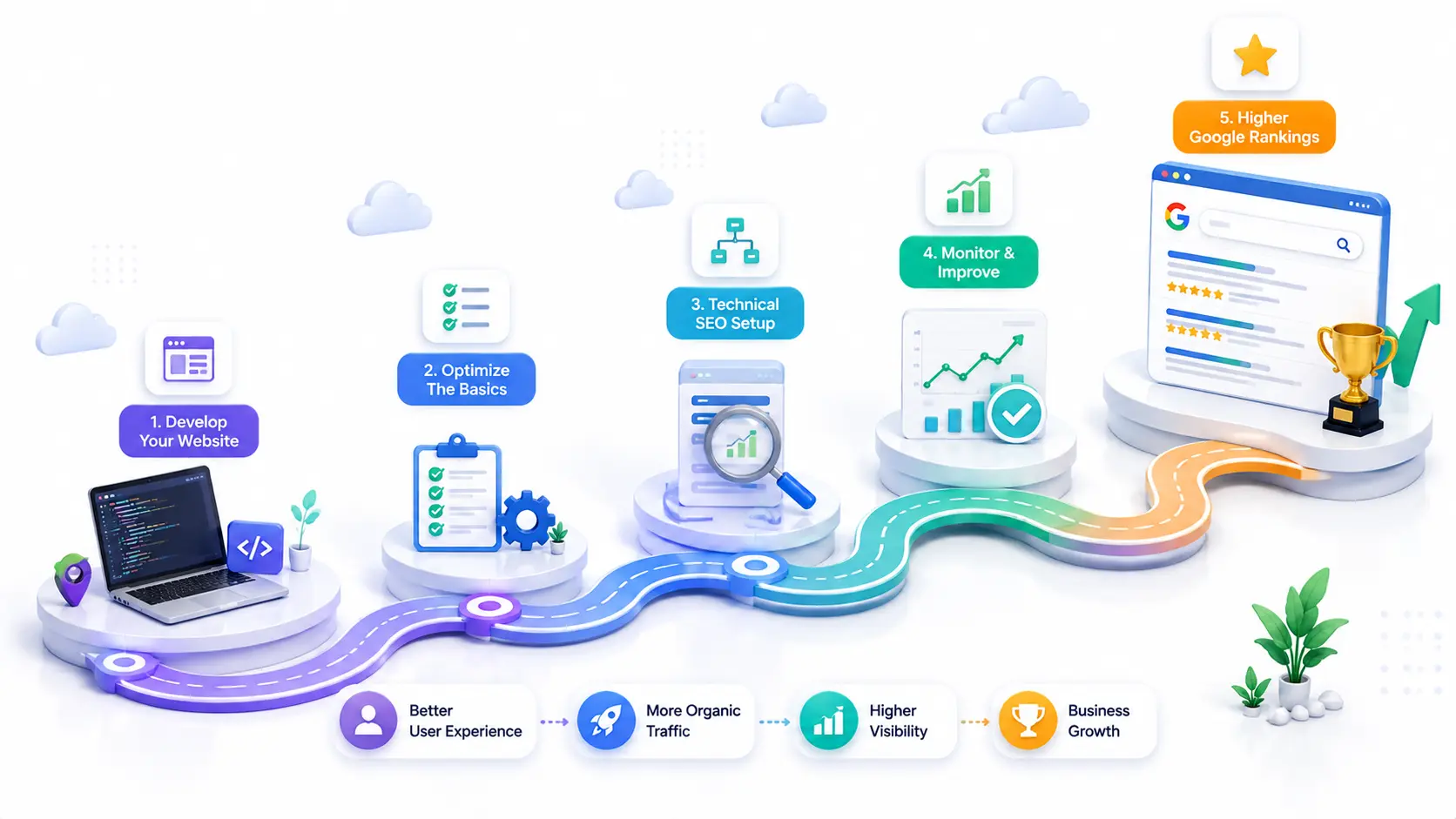
A well-structured SEO workflow helps ensure that your website is optimized before it goes live. Instead of trying to fix SEO problems after publishing, it's much easier to build optimization into your development process from the beginning.
Following a consistent workflow reduces technical issues, improves search engine visibility, and creates a better experience for your visitors.
Recommended SEO Workflow
- Build your website using semantic HTML.
- Optimize your HTML structure by using proper headings and descriptive ALT text.
- Add unique meta titles and meta descriptions for every page.
- Generate an XML sitemap containing all important pages.
- Verify your website in Google Search Console and submit the sitemap.
- Monitor website performance regularly using SEO and analytics tools.
Following these steps consistently makes it much easier for search engines to crawl, understand, and rank your website.
Common SEO Mistakes Beginners Make
Many beginner developers unknowingly make SEO mistakes that reduce their website's visibility in search results. Fortunately, most of these issues are easy to avoid once you understand the basics.
- Stuffing keywords unnaturally into paragraphs.
- Forgetting to add unique meta titles and meta descriptions.
- Uploading large, uncompressed images that slow down page speed.
- Publishing duplicate or very similar content across multiple pages.
- Leaving broken internal or external links.
- Ignoring mobile responsiveness before launching the website.
- Using multiple
<h1>headings on the same page. - Not submitting an XML sitemap to Google Search Console.
Avoiding these common mistakes can significantly improve both user experience and search engine performance.
Best Free SEO Tools in 2026
Fortunately, you don't need expensive software to begin learning SEO. Several free tools provide valuable insights into website performance, indexing, page speed, and search visibility.
| Tool | Primary Purpose | Best For |
|---|---|---|
| Google Search Console | Website indexing and search performance | Monitoring Google visibility |
| Google Analytics 4 | Visitor analytics and traffic insights | User behavior analysis |
| PageSpeed Insights | Core Web Vitals and page performance | Speed optimization |
| Lighthouse | Performance, accessibility, and SEO audits | Technical website analysis |
| Bing Webmaster Tools | Search indexing and diagnostics | Microsoft Bing visibility |
| Screaming Frog SEO Spider | Website crawling and SEO auditing | Finding technical SEO issues |
Beginner SEO Checklist
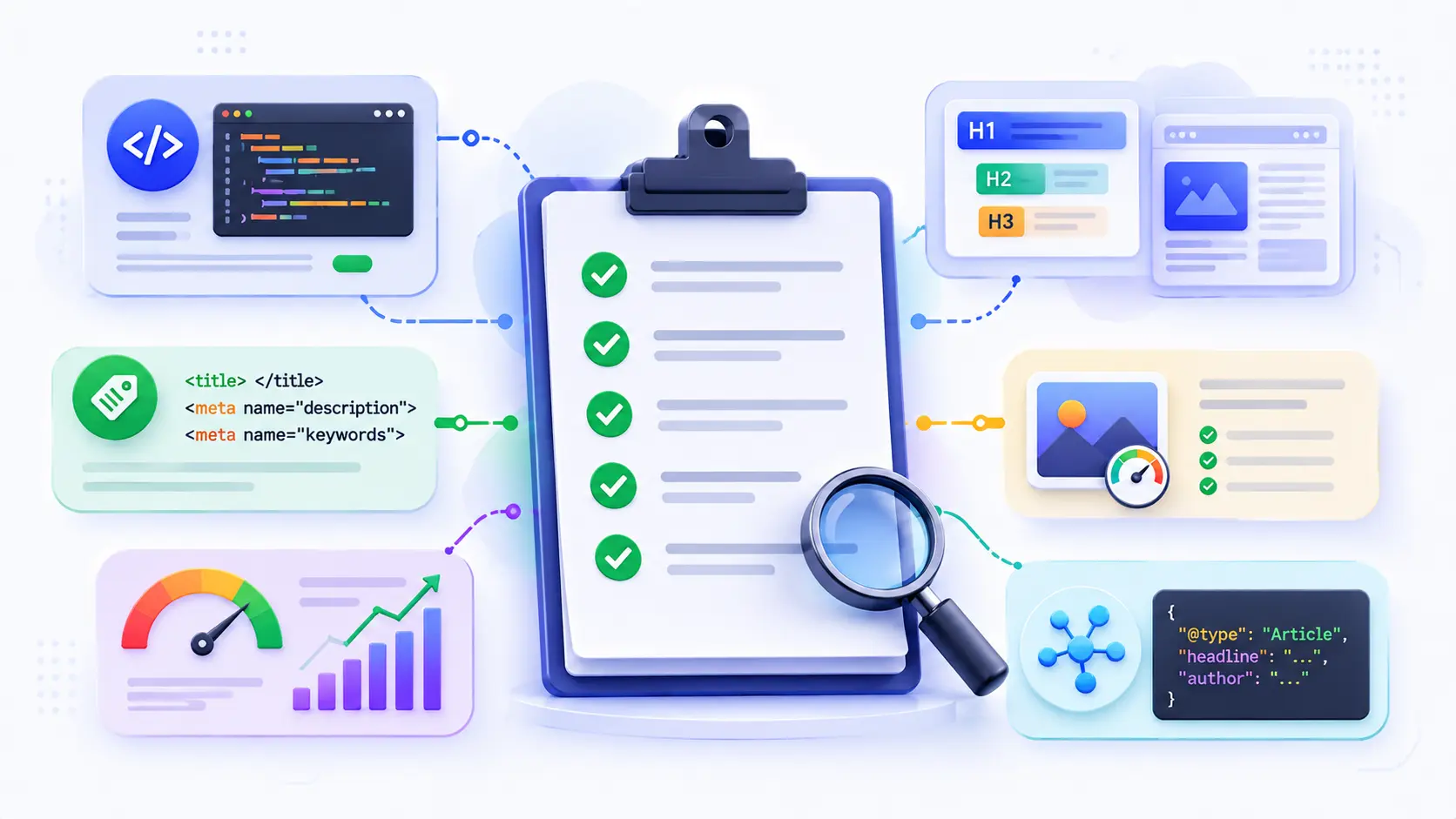
Before publishing your website, review this checklist to make sure you've covered the most important SEO fundamentals.
- Unique meta title and meta description on every page.
- Only one
<h1>heading per page. - Proper heading hierarchy using H2 and H3 tags.
- Compressed images with descriptive ALT text.
- Responsive design tested on mobile devices.
- XML sitemap generated and submitted.
- robots.txt configured correctly.
- HTTPS enabled.
- Core Web Vitals tested using PageSpeed Insights.
- Internal links checked before publishing.
Completing this checklist before every launch helps ensure that your website is technically optimized, user-friendly, and ready for search engines to crawl.
Conclusion
SEO in web development is not a one-time task that you complete after launching a website. It is an ongoing process that begins while writing your first line of HTML and continues as your website grows.
By using semantic HTML, improving page speed, optimizing images, creating a clear heading structure, and following technical SEO best practices, developers can build websites that are both user-friendly and search-engine friendly.
You don't need to master every SEO concept immediately. Start by applying the fundamentals covered in this guide, then gradually improve your website as you gain more experience. Small improvements made consistently often produce better long-term results than trying to optimize everything at once.
Frequently Asked Questions
1. Is SEO difficult for beginner web developers?
No. The basic principles of SEO such as semantic HTML, proper heading structure, page speed optimization, and mobile responsiveness are straightforward to learn and can be applied from your very first website.
2. Do I need programming knowledge to learn SEO?
Not necessarily. Many SEO concepts can be learned without coding, but web developers have an advantage because technical SEO is implemented directly within the website's code.
3. How long does SEO take to show results?
SEO usually takes several weeks or even a few months before noticeable improvements appear. Search engines need time to crawl, index, and evaluate your website before rankings begin to improve.
4. Are Core Web Vitals important for SEO?
Yes. Core Web Vitals help measure page speed, responsiveness, and visual stability. While they are only one part of Google's ranking system, improving these metrics also creates a better experience for visitors.
5. What is the most important SEO skill for web developers?
Building websites with clean semantic HTML is one of the most valuable SEO skills because it provides a strong foundation for accessibility, crawling, indexing, and overall search performance.
Continue Learning with InfoShalaa
Want to improve your web development skills and learn more about SEO, Programming, Artificial Intelligence, Data Science, Cybersecurity, and modern web technologies?
Explore more beginner-friendly tutorials, practical guides, project ideas, and career resources on InfoShalaa. Our goal is to simplify complex technical topics and help developers build industry-ready skills through practical learning.
Keep LearningContinue exploring our latest articles on Web Development, Technical SEO, HTML, CSS, JavaScript, Artificial Intelligence, and Programming to build faster, smarter, and more search-friendly websites.